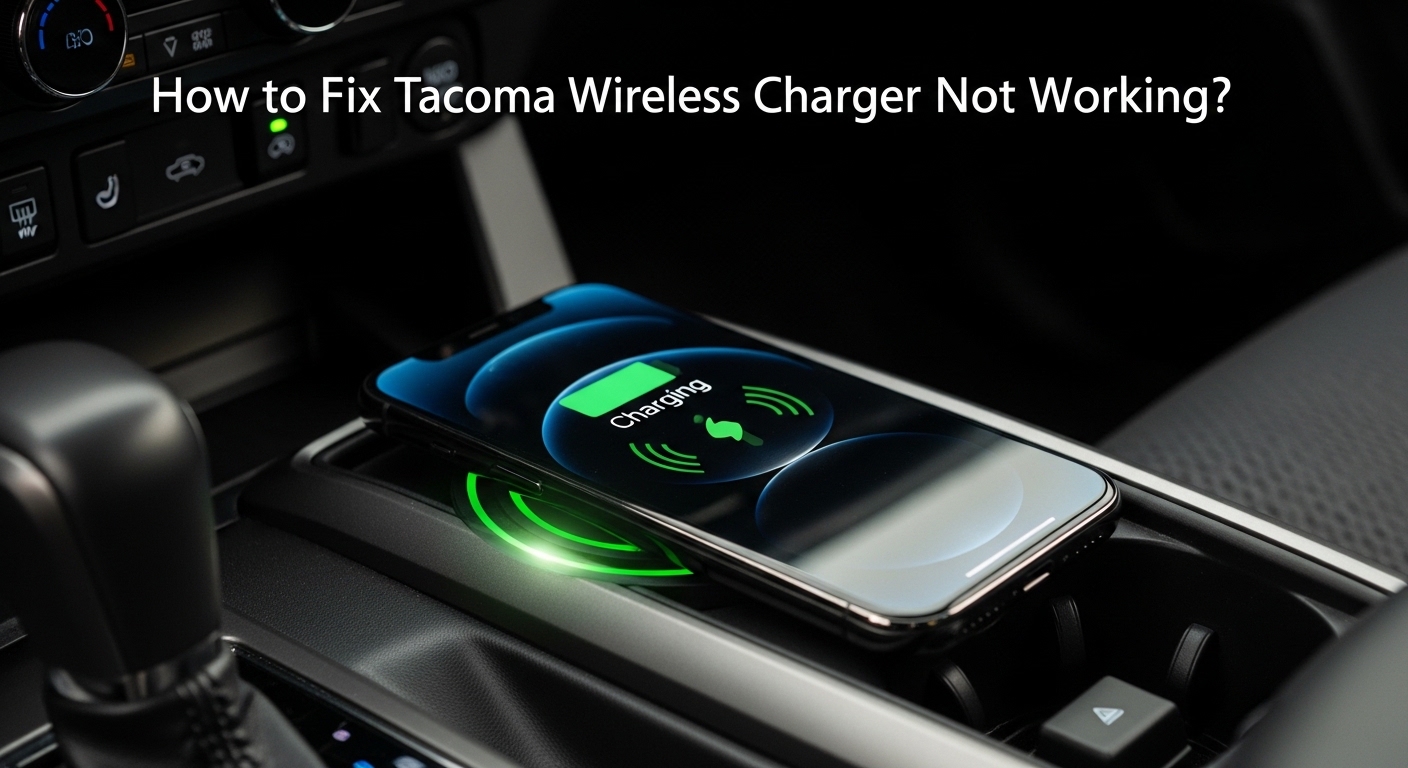
How to Fix Tacoma Wireless Charger Not Working? (Fix Now)
How to Fix Tacoma Wireless Charger Not Working? Wireless charging in the Toyota Tacoma is simple in theory but sensitive in practice. I have seen working pads blamed for failure when the real issues were heat protection, voltage fluctuations, or coil misalignment. From 2016 to 2026, models used Qi charging technology, which requires proper placement and a stable 12V power supply for accessories.
If your charger stopped working, this guide walks you through exact diagnostics before you waste money on a replacement.
Why Is My Tacoma Wireless Charger Not Working?
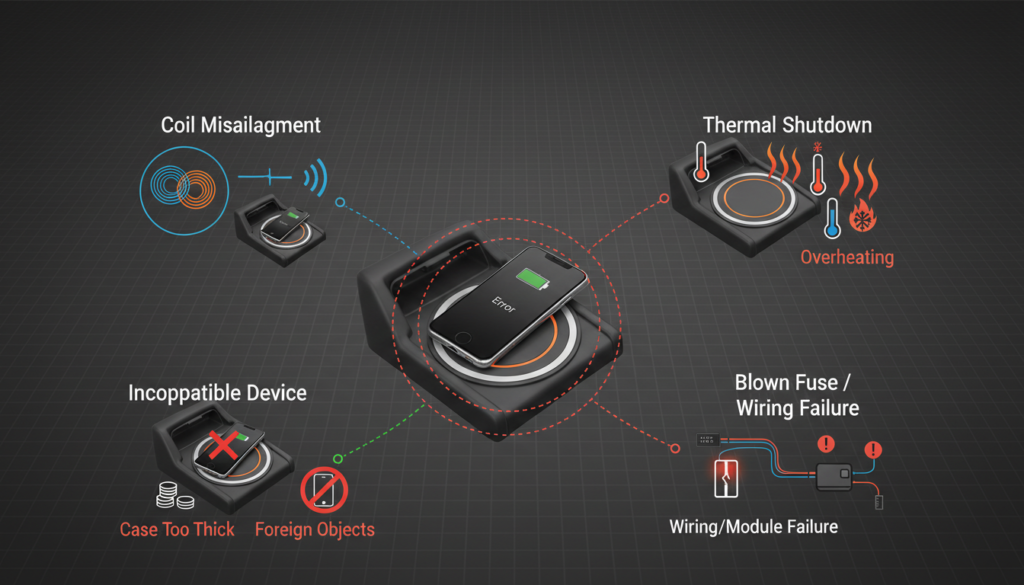
Most Tacoma wireless charging failures fall into four categories:
- Coil misalignment
- Thermal shutdown protection
- Blown accessory fuse
- Module or wiring failure
Older 2016 to 2019 models typically output around 5W, which makes them more sensitive to positioning. Newer 2020 to 2026 systems support up to 7.5W charging, but they shut down faster when overheating is detected. The charger protects itself before damage occurs.
Sometimes, car electronics misbehave due to a simple fuse or power issues, just like some Camry models.
Also Read: What Does AM Mean on a 2009 Toyota Camry LE?
Is Your Phone Compatible with the Tacoma Qi Charger?
The Tacoma uses the Qi system. If your phone does not support Qi, it will not charge simply.
Phones from Apple (iPhone 8 and newer) and Samsung Galaxy S7 and newer support Qi. But compatibility does not mean perfect charging. Larger camera bumps in 2022+ phones often cause misalignment in 2020–2023 Tacomas.
If charging starts and then stops, it is usually due to coil placement, not a broken pad.
Could a Phone Case or Metal Plate Be Blocking the Charging Pad?
Before assuming hardware failure, check interference. Qi charging uses electromagnetic induction. Metal plates or thick cases block the magnetic field, preventing energy transfer.
Now keep your bullet list, but shorten it:
- Remove the thick or rugged case
- Remove the magnetic plate
- Recenter phone
- Allow the device to cool
In real use, I have seen charging resume instantly once a metal plate was removed. 2024–2026 pads are slightly stronger, but metal interference still blocks charging fields.
What Do the Tacoma Wireless Charging Indicator Lights Mean?
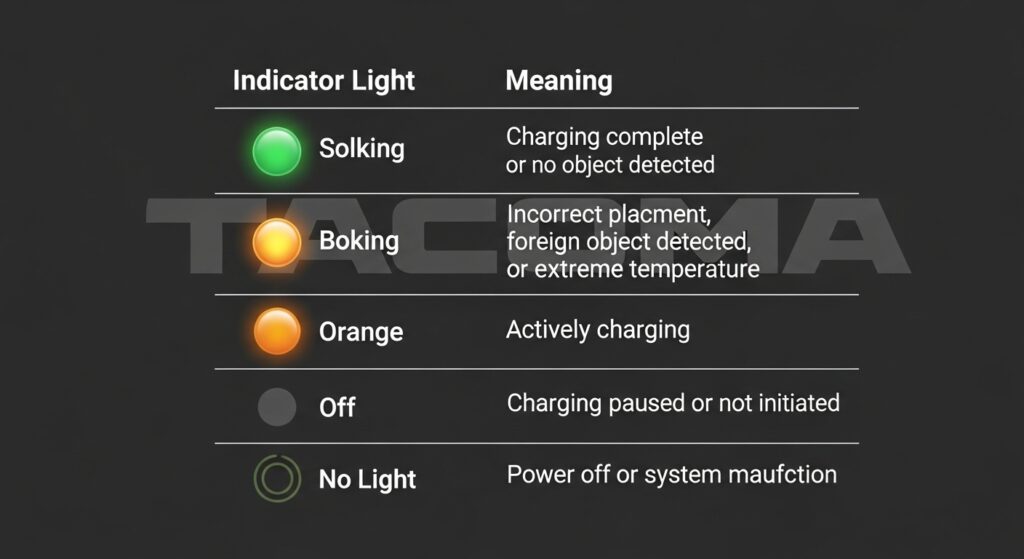
The indicator light is your first diagnostic clue. If you ignore it, you are guessing instead of diagnosing.
What Does Each Light Signal Indicate?
| Indicator Light | Meaning | Common Cause |
| Solid Green | Charging normally | Proper alignment |
| Blinking Orange | Misalignment detected | Phone not centered |
| Solid Orange | Object detected | Metal interference |
| The light turns off | Overheat protection | The pad or phone is too hot |
| No light | No power | Fuse or wiring issue |
If your charger runs for 5–10 seconds, then stops, that is usually heat protection. This became more common in 2020–2023 models during the summer months.
Where Is the Tacoma Wireless Charger Fuse Located?
The fuse is usually in the interior fuse box under the driver’s side dash.
Which Fuse Controls the Wireless Charger?
| Model Years | Fuse Label | Amp Rating | Location |
| 2016 to 2019 | ACC or PWR OUTLET | 15A | Driver-side fuse panel |
| 2020 to 2023 | ACC-B | 15A | Interior fuse box |
| 2024 to 2026 | P/OUTLET No.2 | 20A | Updated interior layout |
If the pad has no light at all, check this first. A blown fuse is more common in older trucks with added accessories.
Step-by-Step Troubleshooting Flow:
Add this exactly:
If you want to diagnose correctly, follow this order:
- Confirm phone supports Qi charging
- Remove the case and test the bare phone
- Check the indicator light response
- Inspect the fuse under the dashboard
- Perform a system reset
- Test while the engine is running
- Inspect the pad stability inside the console
If charging works at any step, stop there. Do not jump to replacement without testing the basics.
Many Tacoma owners report similar issues and fixes on TacomaWorld forums.
How Do You Reset the Tacoma Wireless Charging System?
Before assuming hardware damage, try a reset. Electronic modules can freeze like any other system.
Try this:
- Turn off the ignition fully
- Disconnect the battery for 10 minutes
- Reconnect and restart the system
On 2024–2026 models, you can also reset through the infotainment settings menu. If charging works again after a reset, the issue was software-related, not hardware damage.
Could the Charging Pad or Wiring Be Faulty?
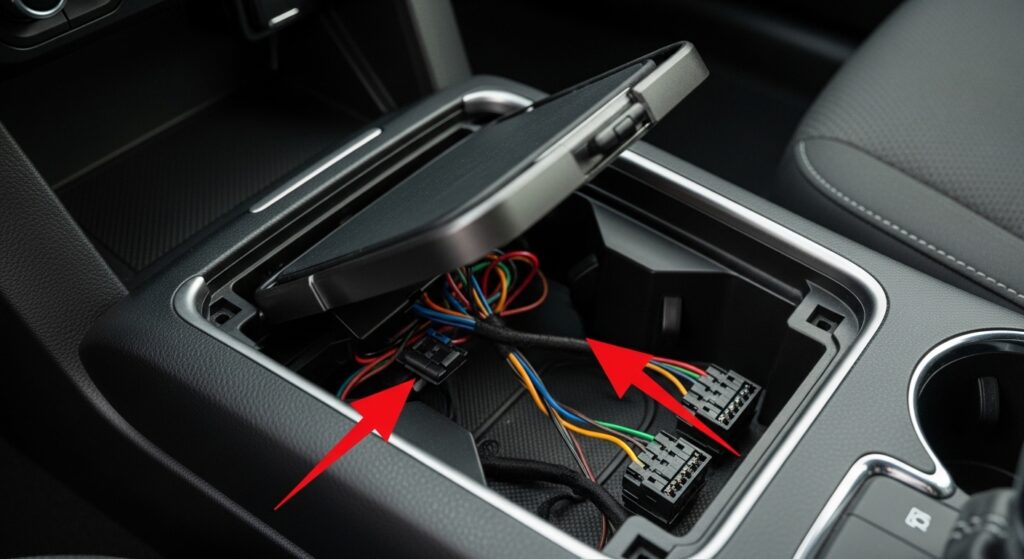
If the fuse and reset don’t work, the pad itself may be failing.
Common signs:
- The charger works only when pressed down
- Charging cuts out on bumps
- The pad feels loose in the console
In 2016 to 2018 models, especially internal wiring connectors can loosen over time. Replacing the OEM module usually fixes it. Aftermarket pads often cause inconsistent charging, so factory replacement is safer.
The wireless charging pad draws power from the 12V accessory circuit and steps it down internally. If battery voltage drops below normal idle levels (especially below 11.8V), charging may cut off. This is more common in older batteries or when multiple accessories are running.
In most cases I have seen, the charging module lasts 5–7 years before showing intermittent failure, especially in trucks exposed to extreme heat.
Do Wireless Charging Problems Vary by Tacoma Model Year?
Yes, and this matters more than people think.
| Model Years | Common Issue | Technical Reason |
| 2016 to 2019 | Fuse or weak output | Lower wattage Qi module |
| 2020 to 2023 | Overheating shutdown | Higher output but tighter coil zone |
| 2024 to 2026 | Alignment sensitivity | Redesigned charging tray geometry |
The 2024 redesign changed the tray geometry and coil placement, improving speed but reducing tolerance for off-centre devices. That is why some owners upgrading from pre-2020 models notice a change in charging sensitivity.
Read Guide: Why 2011 Toyota Camry Shut Off When Stopping?
Is the Tacoma Wireless Charger Covered Under Warranty?
If your truck is under factory warranty, the pad is usually covered, unless it is damaged by modification.
Typical repair cost out of warranty:
| Repair Type | Estimated Cost |
| Fuse replacement | Under $20 |
| OEM pad replacement | $250 to $400 |
| Dealer diagnostic fee | $100 to $150 |
For 2025 to 2026 models still under basic coverage, dealers often replace faulty modules at no cost.
How Can You Prevent Tacoma Wireless Charging Issues in the Future?
Simple habits prevent most issues.
- Keep the charging surface clean
- Avoid metal accessories under the phone
- Do not charge overheated phones
- Centre the device carefully
Wireless charging is sensitive by design. Treat it like precision equipment, not just a drop-and-go tray.
FAQs:
Can a blown fuse cause the Tacoma wireless charger to stop working?
Yes. A blown accessory fuse can completely cut power to the charging pad.
Is the Tacoma wireless charger covered under the factory warranty?
Yes. If your truck is under basic warranty, the charging module is usually covered, unless it has been modified.
Why does my Tacoma wireless charger blink orange?
Blinking orange usually means misalignment of the phone or metal interference blocking a proper Qi connection.
Why does the charger stop after a few seconds?
The system shuts down automatically if it detects overheating or an unstable voltage supply.
Does every Tacoma model support wireless charging?
No. Wireless charging is only available on specific trims and option packages.
Conclusion:
Wireless charging problems in the Tacoma are rarely major failures. Most issues come down to compatibility, alignment, fuse faults, or heat protection. Understanding how the Qi system works helps you diagnose problems quickly rather than guessing. Before replacing parts, always check the basics. A simple reset, fuse check, or repositioning your phone often solves the issue without spending money at the dealership.