How to Reset Maintenance Light on Toyota Camry? Quick Reset!
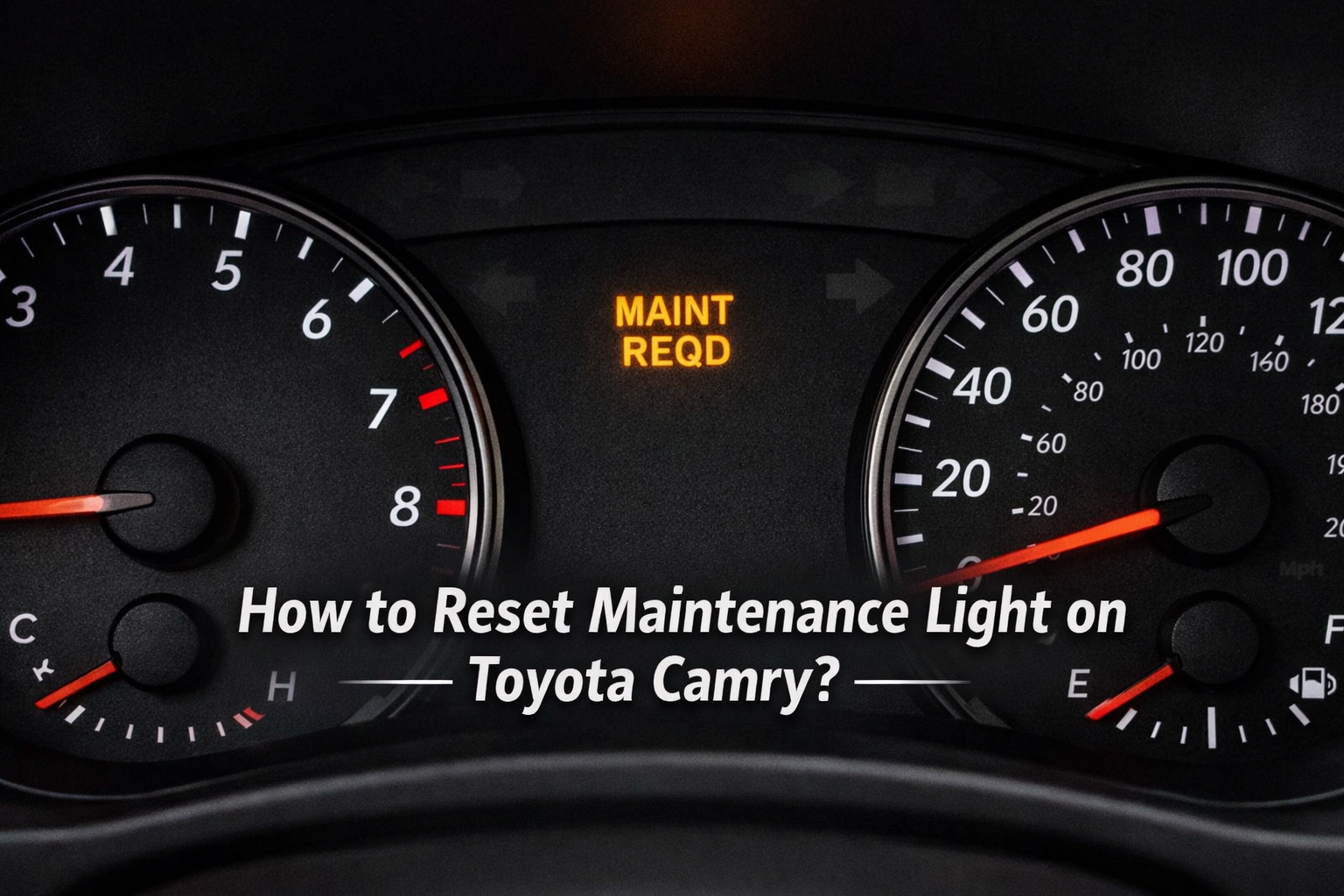
How to Reset Maintenance Light on Toyota Camry? If you changed your oil but the maintenance light is still on, you are not alone. Many Camry owners get confused because Toyota uses different reset systems depending on the model year and dashboard type. Older models rely on the Trip A button method, while newer models use fully digital menu controls.
This guide breaks down every generation clearly so you can reset the oil change reminder correctly without affecting your scheduled maintenance tracking.
What Does the Maintenance Required Light Mean on a Toyota Camry?
This light is a mileage reminder. It usually turns on every 5,000 miles to remind you about routine service, mostly an oil change. It does not detect oil condition or engine damage.
Unlike brands such as Honda and GM that use oil-life monitoring algorithms based on driving conditions and temperature data, Toyota uses a fixed mileage-based system. The Camry’s reminder follows preset intervals instead of calculating oil degradation in real time. This design keeps the system simple and consistent across model generations.
It is programmed inside the instrument cluster as part of Toyota’s service interval reminder system. When you reset it, you are clearing the scheduled maintenance counter, not fixing a mechanical problem.
How Many Miles Trigger the Maintenance Light?
Most U.S. models are set to trigger at 5,000 miles after the last reset. It starts blinking first, then becomes solid.
| Mileage Since Last Reset | What Happens |
| Around 4,500 miles | Light blinks at startup |
| 5,000 miles | Light stays solid |
| After reset | Counter restarts from zero |
During real service visits, most technicians recommend resetting the reminder only after replacing both the oil and the filter. Resetting it early can shift your entire maintenance cycle forward.
How Do You Reset the Maintenance Light on a Toyota Camry?
The reset process is simple, but the steps vary by dashboard type and model year.
First, turn the ignition to ON or accessory mode without starting the engine. Switch the display to Trip A. Then turn the car off. Hold the trip button while turning the ignition back to ON. Keep holding until the display shows zeros.
How Do You Reset the Light on 2002 to 2006 Camry Models?
These older models use a simple odometer button.
- Turn the key to the ON position
- Set display to ODO (not Trip)
- Turn the key off
- Hold the trip button and turn the key back ON
- Wait until dashes disappear
Release the button when the numbers reset.
How Do You Reset the Light on 2007 to 2017 Camry Models?
How to Reset Maintenance Light on Toyota Camry? This generation uses the Trip A method. Many owners miss this small detail.
- Switch to Trip A
- Turn the ignition off
- Hold the trip button
- Turn ignition to ON
- Wait for the countdown to finish
If Trip B is selected, it would not reset. The reset depends on the odometer display logic recognizing Trip A during the ignition cycle. That is a common mistake.
How Do You Reset the Light on 2018 to 2024 Camry Models?
These models use a Multi-Information Display (MID) with steering wheel controls, especially on trims equipped with push-button ignition.
Go to Settings → Vehicle Settings → Maintenance Reset → Confirm Yes.
On most trims with push-button start, the physical trip button no longer controls the reset. The system is handled through the digital display menu. Hybrid and gas trims both follow this screen-based method.
How Do You Reset the Light on 2025 to 2026 Camry Models?
The 2025 redesign introduced a fully digital cluster. All trims are hybrid-only now.
Use steering wheel arrows to enter:
Settings → Vehicle Settings → Scheduled Maintenance → Reset → Confirm.
The reset happens instantly. No trip button method works on these models.
Because the 2025 redesign removed gas-only trims, every new Camry now follows the hybrid display logic. The reset procedure is fully menu-driven.
How Is the Reset Process Different on Hybrid Models?
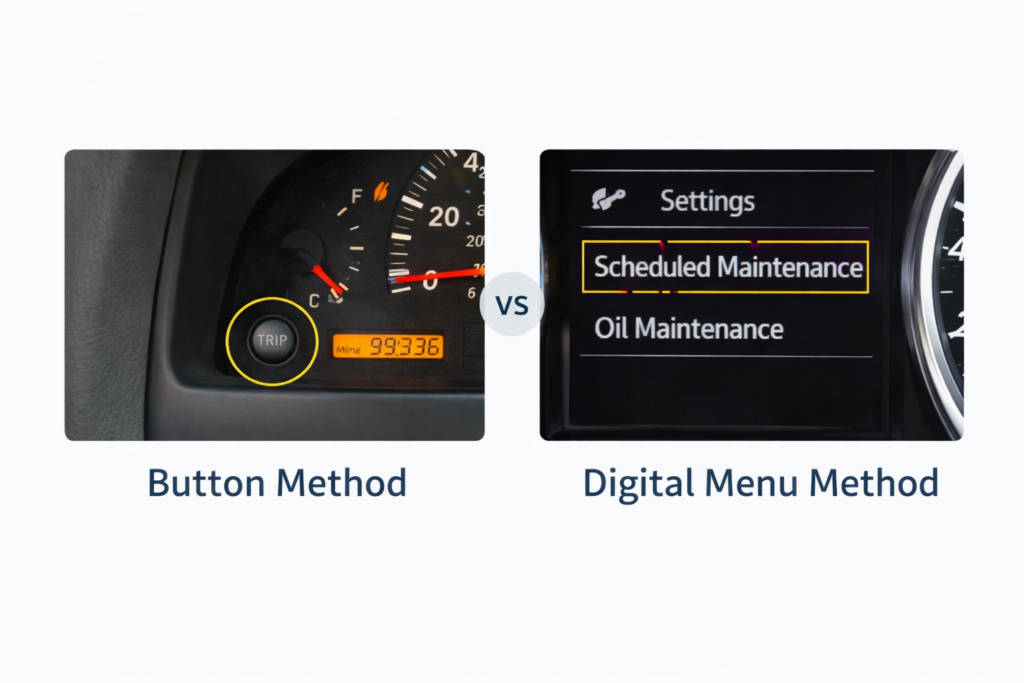
Older hybrids (pre-2018) use the same trip reset system as gas models.
Newer hybrids (2018 to 2026) use the digital screen menu. Because the cluster is electronic, you must navigate through the settings screen; the physical odometer button would not work.
Many drivers try the old button method first, and it simply does not respond on newer models.
Not sure which fuel type keeps your Camry running efficiently?
Read Guide: Toyota Camry Gas Type
Why Is the Maintenance Light Blinking Instead of Staying Solid?
The blinking dashboard service indicator means you are close to the service interval. Solid means you passed it.
| Light Behavior | Meaning |
| Blinks for a few seconds | Service due soon |
| Stays solid | Service overdue |
| Does not turn off after reset | Reset not completed properly |
This system has been consistent from 2007 through 2026 models.
Why Won’t the Maintenance Light Reset?
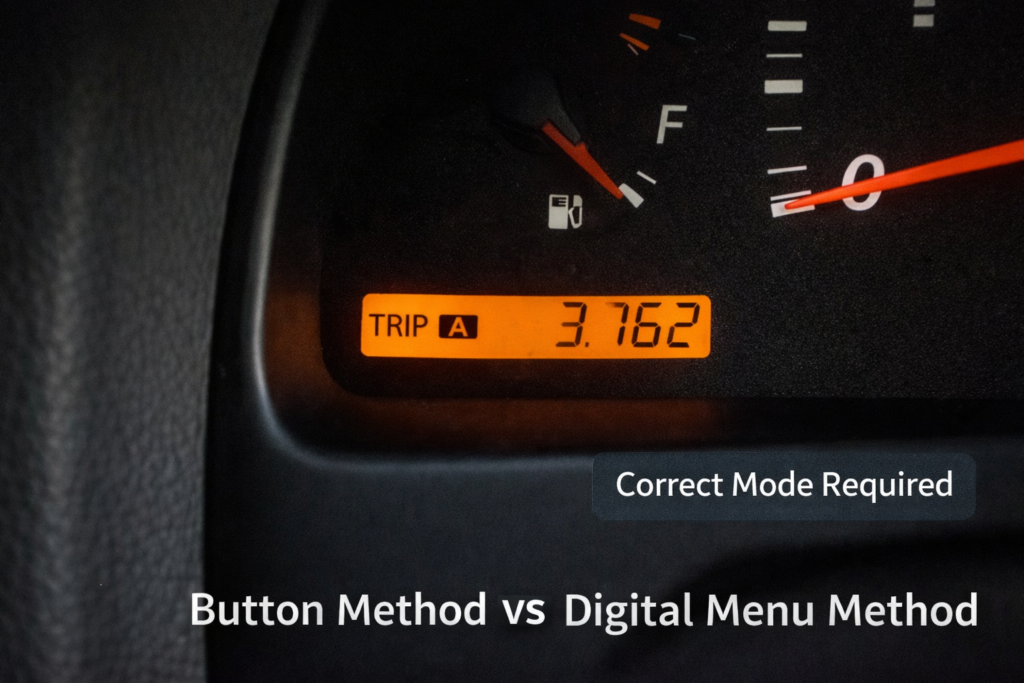
Usually it is one of these:
- Wrong trip mode selected
- Ignition not in proper ON mode
- Button released too early
- Digital reset not confirmed
- Odometer display not set correctly before ignition cycle
If it still does not reset, disconnecting the battery would not reliably fix it on newer models. The system stores data in cluster memory.
Authorized Toyota dealers recommend this quick odometer button method for older Camrys.
Is the Maintenance Light the Same as the Check Engine Light?
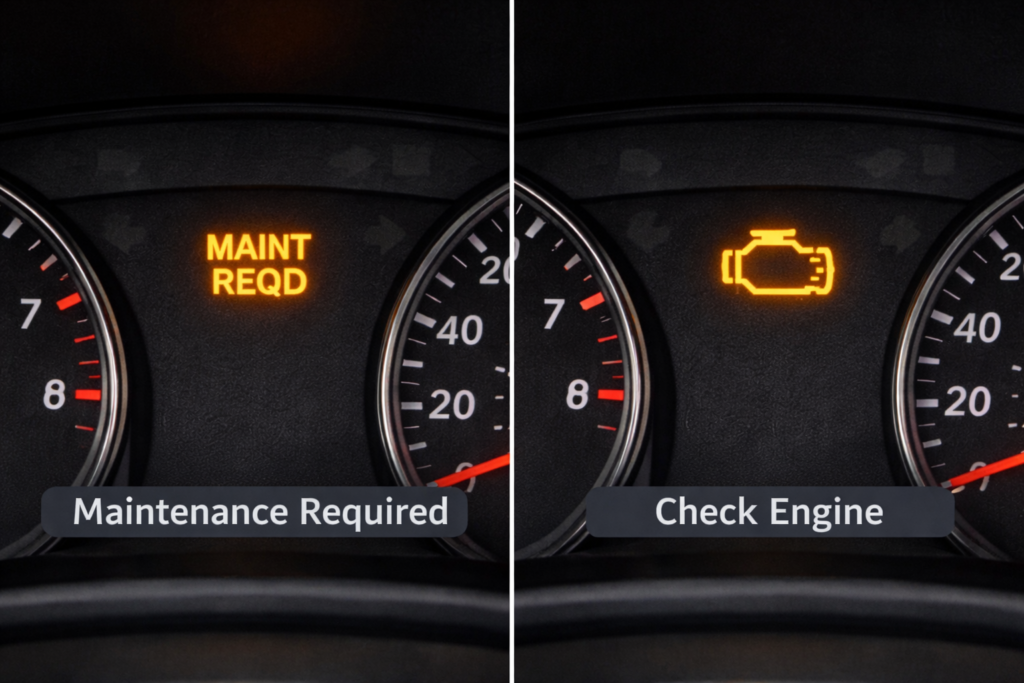
No. They are completely different.
The maintenance light is a reminder. The check engine light is linked to engine sensors and fault codes.
If the check engine light is on, resetting the maintenance reminder will not turn it off.
Should You Reset the Light Before an Oil Change?
No. Always reset it after service is completed.
If you reset early, the 5,000-mile cycle restarts. That can throw off your maintenance tracking and make future reminders inaccurate.
Professionals reset it right after oil and filter replacement.
Can You Drive With the Maintenance Light On?
Yes, but only if it is just a reminder.
It does not mean your engine is damaged. Still, driving thousands of miles past the interval increases oil wear. For daily commuters, staying close to schedule protects engine life.
For example, many daily commuters ignore the reminder for a week or two without issues, but going far beyond the interval can shorten oil life.
Some Camry drivers have noticed unusual stalling at stops, wondering if your car might do the same?
Read Guide: Why 2011 Toyota Camry Shut Off When Stopping?
Does Disconnecting the Battery Reset the Maintenance Light?
On very old Camry models, sometimes yes.
From 2018 to 2026, digital cluster models, no. The reminder data is stored electronically and would not clear just by removing battery power.
Using the correct reset procedure for your specific year avoids unnecessary frustration.
These reset procedures align with Toyota’s standard maintenance interval programming used across multiple generations.
FAQs:
Does the maintenance light mean something is wrong with the engine?
No. It is a mileage-based service reminder, not a fault warning.
Can I drive my Camry with the maintenance light on?
Yes, but you should schedule routine service soon to protect engine performance.
Does the maintenance light turn off automatically after an oil change?
No, it must be manually reset after the service is completed.
Is the reset process different for 2025 to 2026 Camry models?
Yes, newer models use a fully digital menu system instead of the trip button method.
Does disconnecting the battery clear the maintenance light?
No, modern Camry models store reminder data in the instrument cluster memory.
Conclusion:
Resetting the maintenance light on a Toyota Camry is simple once you know your model year and dashboard type. The system is designed as a service reminder, not a mechanical warning. Following the correct reset steps keeps your maintenance schedule accurate and prevents unnecessary confusion. Whether you drive an older model or the latest 2026 hybrid, using the proper method ensures your Camry continues running smoothly and reliably.